In KineOS 8.0, new features include wide color gamut BT.2020 support for ProRes encoding and lossless, uncompressed RAW (DNG) in 4K full-frame, additionally, KineOS 8.0 features a more intuitive and modernized user interface.
Compared to the native color space of ProRes encoding (in KineOS 7.3), KineOS 8.0 not only retains the native color space for ProRes encoding but also introduces support for the BT.2020 color gamut in ProRes encoding. The BT.2020 color gamut in ProRes encoding differs from the native color space of ProRes encoding in terms of maximum resolution and maximum frame rate. This article lists the maximum frame rates for ProRes encoding with BT.2020 color gamut and uncompressed RAW (DNG) at typical resolutions such as 4K DCI and 4K UHD.
In addition, if you use DaVinci Resolve to view uncompressed RAW (DNG) footage, the colors will appear incorrect. To address this, you need to import the uncompressed RAW (DNG) footage into DaVinci Resolve and follow the setup process outlined in the article.
1. Recording Format
Including: Relationship between typical parameters of encoding, format, resolution, and FPS. *ProRes BT.2020 and RAW support a maximum resolution of 4K.
MAVO Edge 8K
Full-Frame
FF 4K OG (OverSample) — Resolution: 4096×2644 | Image Format(WxH): 36×23.3mm, ø 42.9mm | Codec: ProRes 422/4444 (BT.2020), 2~45fps | RAW 2~45fps
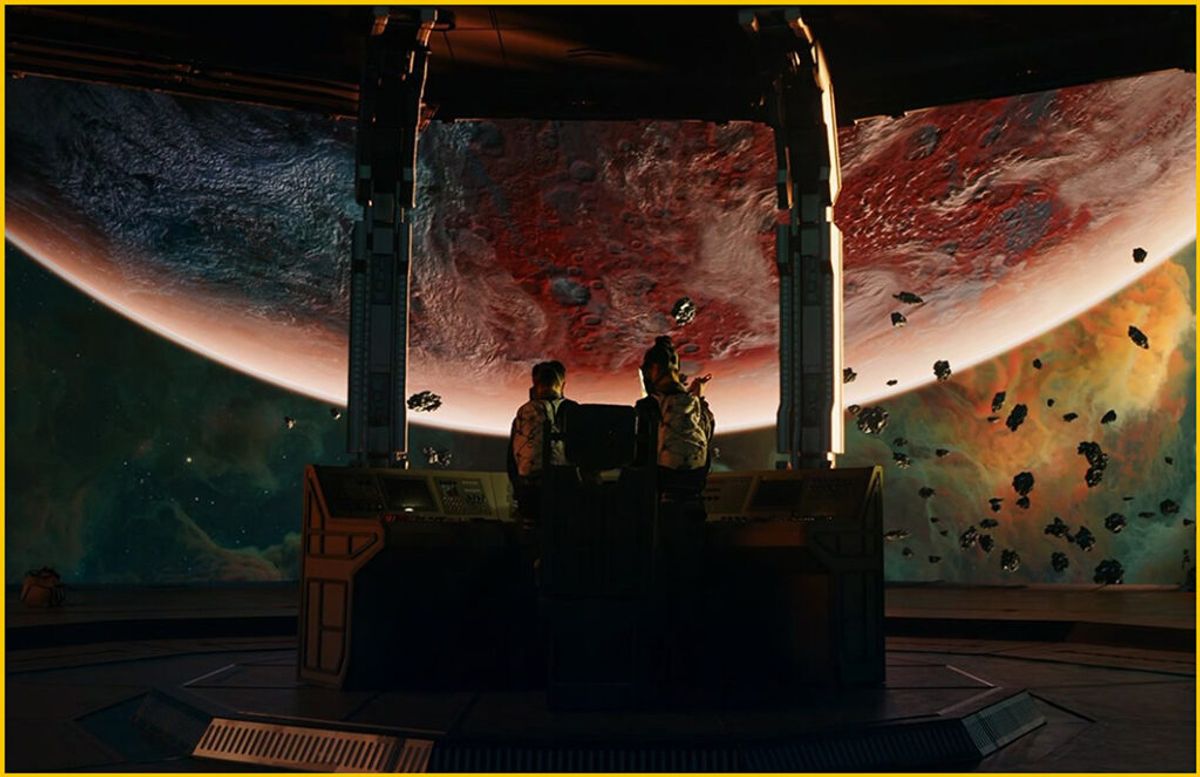
FF 4K DCI (OverSample) — Resolution: 4096×2160 | Image Format(WxH): 36×19mm, ø 40.7mm | Codec: ProRes 422/4444 (BT.2020) 2~55fps | RAW 2~55fps
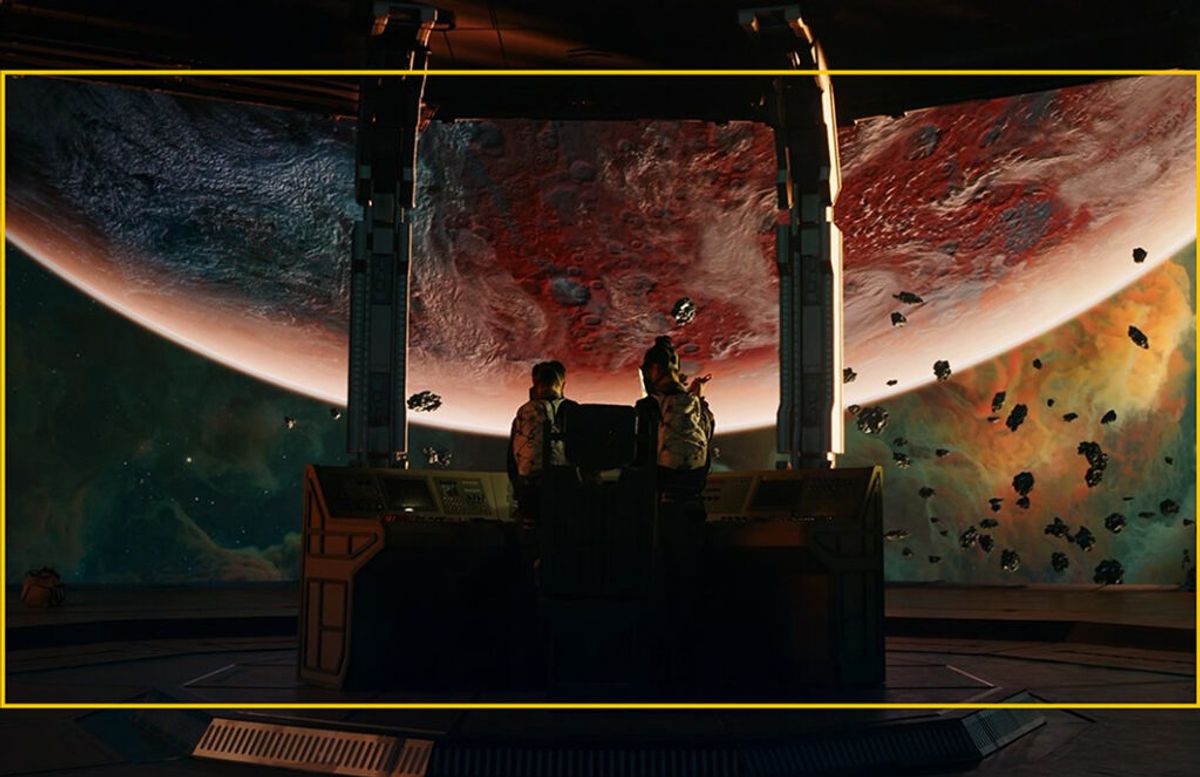
FF 4K UHD (OverSample) — Resolution: 3840×2160 | Image Format(WxH): 33.8×19mm, ø 38.7mm | Codec: ProRes 422/4444 (BT.2020) 2~55fps | RAW 2~55fps
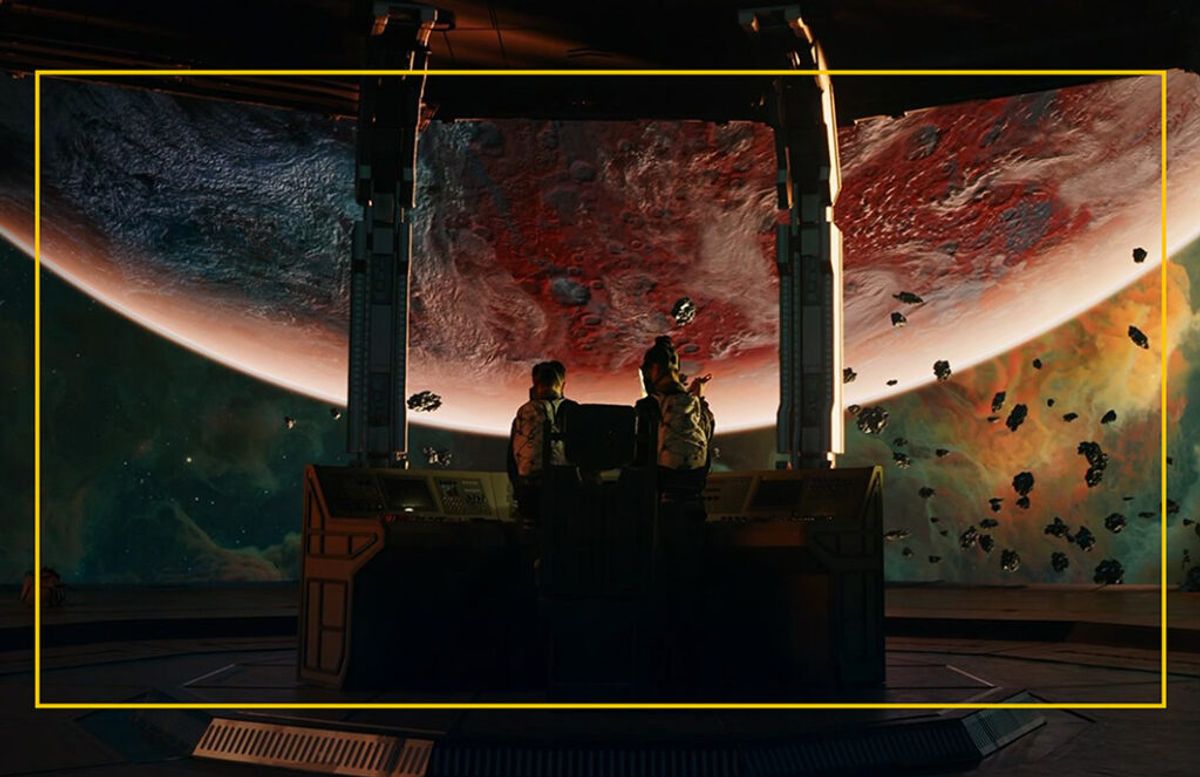
Super 35
S35 4K DCI (OverSample) — Resolution: 4096×2160 | Image Format(WxH): 27×14.2mm, ø 30.5mm | Codec: ProRes 422/4444 (BT.2020) 2~72fps | RAW 2~72fps
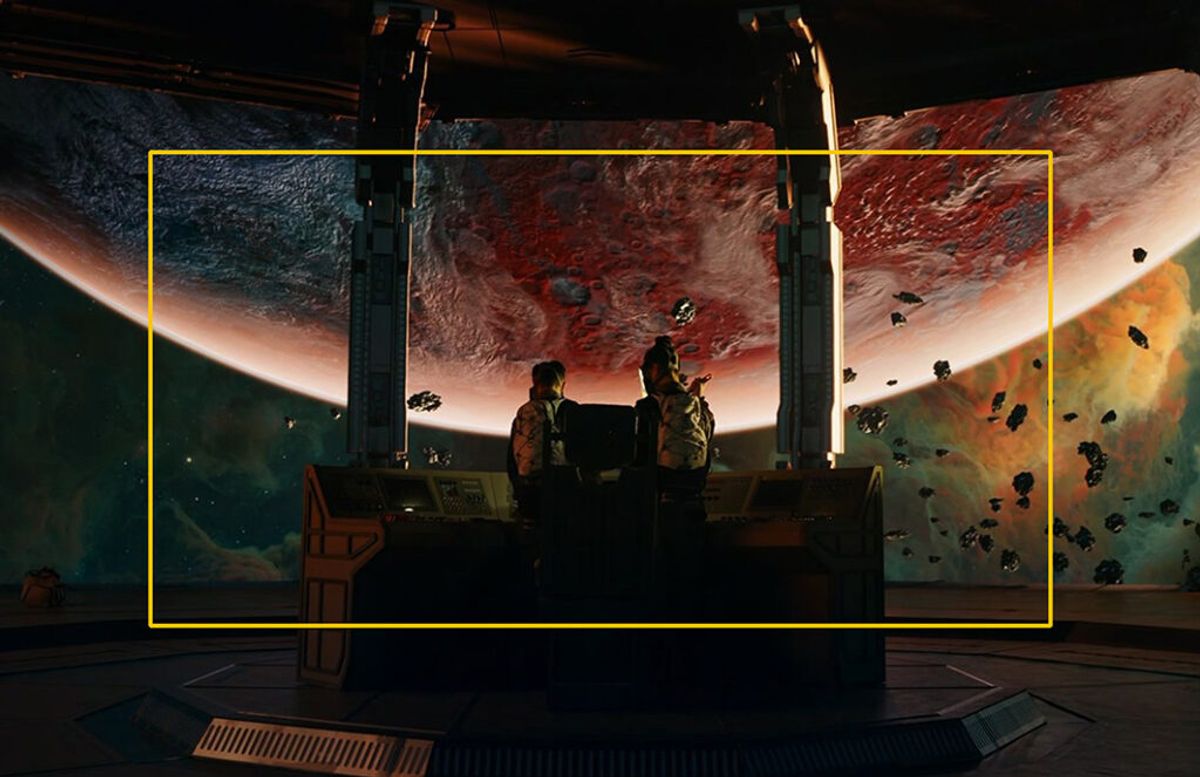
S35 4K UHD (OverSample) — Resolution: 3840×2160 | Image Format(WxH): 25.2×14.2mm, ø 29.0mm | Codec: ProRes 422/4444 (BT.2020) 2~72fps | RAW 2~72fps
MAVO Edge 6K / MAVO mark2 LF
Full-Frame
FF 4K UHD (OverSample) — Resolution: 3840×2160 | Image Format(WxH): 34.5×19.4mm, ø 39.6mm | Codec: ProRes 422/4444 (BT.2020) 0.2~58fps | RAW 0.2~58fps
Super 35
S35 4K DCI (OverSample) — Resolution: 4096×2160 | Image Format(WxH): 24.5×12.9mm, ø 27.7mm | Codec: ProRes 422 (BT.2020) 0.2~112fps | ProRes 4444 (BT.2020) 0.2~75fps | RAW 0.2~112fps
S35 4K UHD (OverSample) — Resolution: 3840×2160 | Image Format(WxH): 23.0×12.9mm, ø 26.4mm | Codec: ProRes 422 (BT.2020) 0.2~112fps | ProRes 4444 (BT.2020) 0.2~90fps | RAW 0.2~112fps
MAVO mark2 S35
Super 35
S35 4K UHD (OverSample) — Resolution: 3840×2160 | Image Format(WxH): 22.5×12.9mm, ø 25.9mm | Codec: ProRes 422/4444 (BT.2020) 0.2~75fps | RAW 0.2~75fps
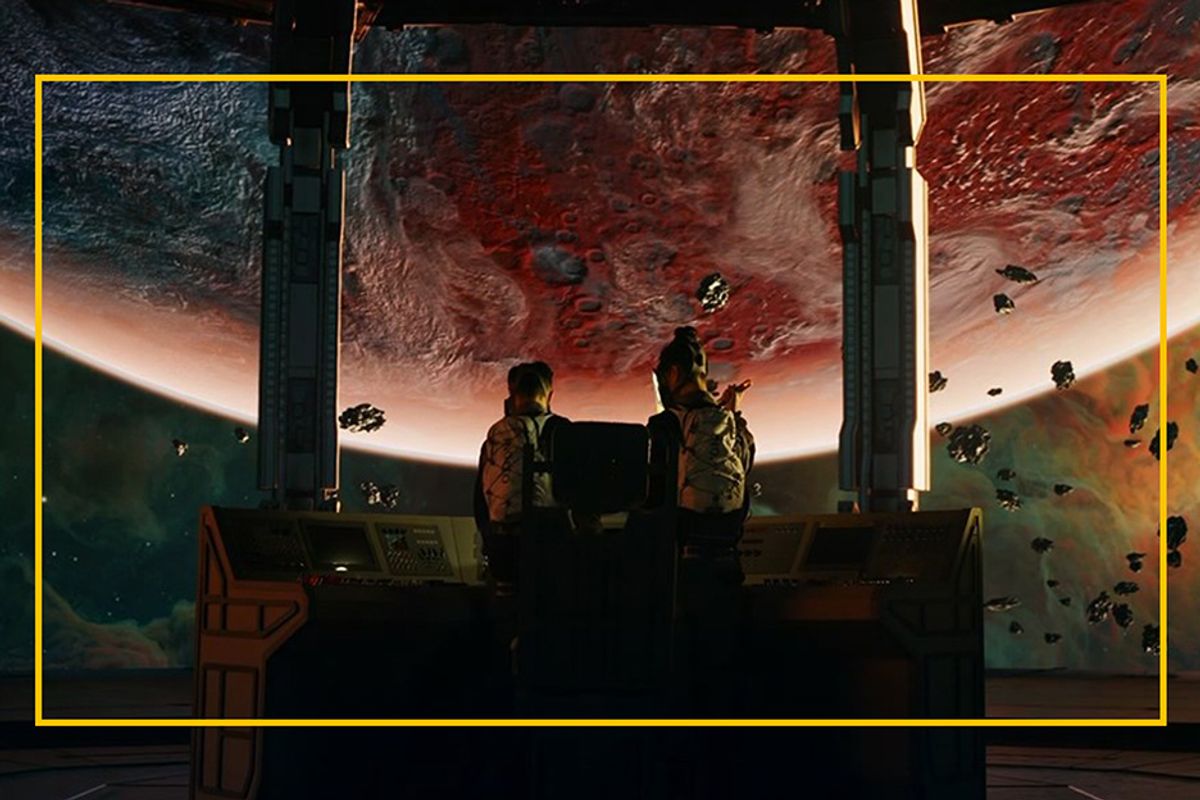
Micro 4/3
M4/3 4K DCI — Resolution: 4096×2160 | Image Format(WxH): 16×8.6mm, ø 18.2mm | Codec: ProRes 422 (BT.2020) 0.2~112fps | ProRes 4444 (BT.2020) 0.2~75fps | RAW 0.2~112fps
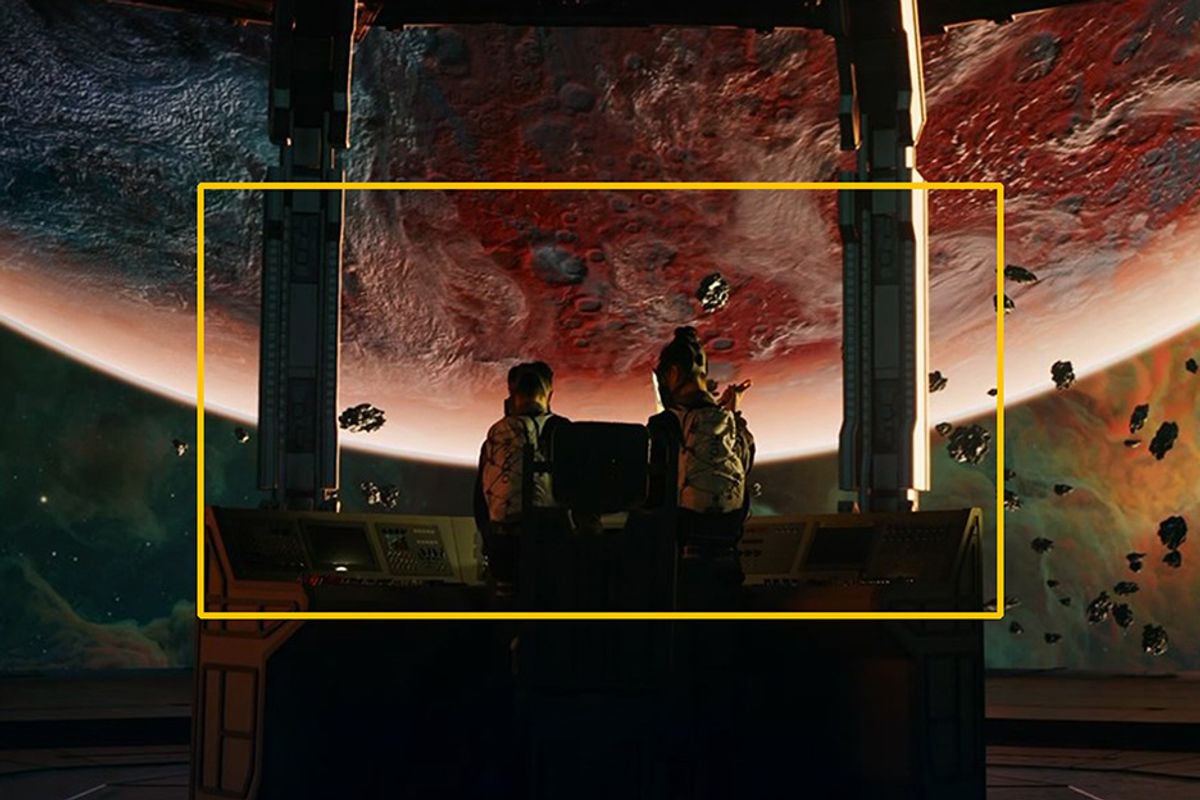
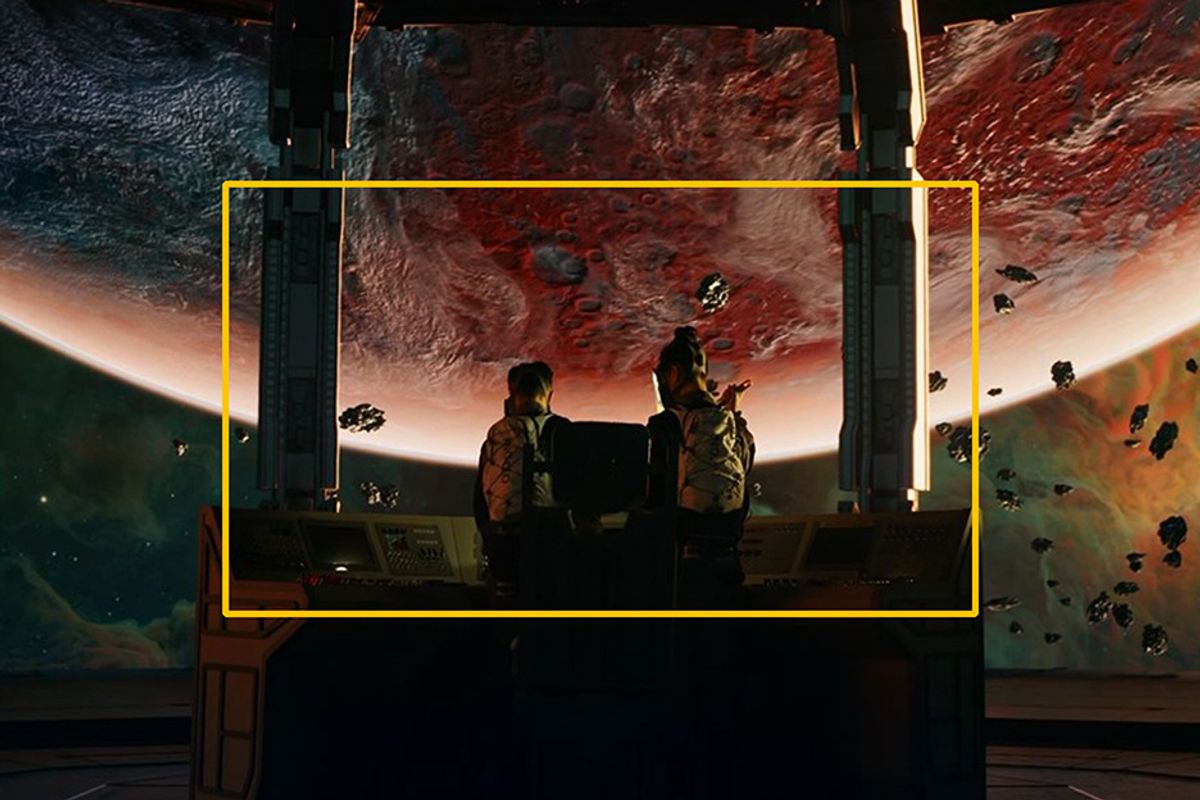
M4/3 4K UHD — Resolution: 3840×2160 | Image Format(WxH): 15×8.6mm, ø 17.3mm | Codec: ProRes 422 (BT.2020) 0.2~112fps | ProRes 4444 (BT.2020) 0.2~90fps | RAW 0.2~112fps
2. Uncompressed RAW(DNG) Workflow
In KineOS 8.0, MAVO Edge 8K/MAVO Edge 6K/MAVO mark2 S35/MAVO mark2 LF can record uncompressed RAW as DNG without external recorder. Uncompressed RAW can get super good image quality and enough room for grading work.
Davinci Resolve
Davinci Resolve natively supports DNG, so you can edit and grade over DNG directly in Resolve. However, for RAW, different DI software may have different decoding ways and get different images. There is a huge difference on exposure and color over KineLOG3 ProRes footages if importing DNG footage directly. Good news is that you can get RAW images with native KineLOG3 by setting RAW decoder properly in DaVinci Resolve. It greatly simplifies post workflow on DNG RAW in Resolve:
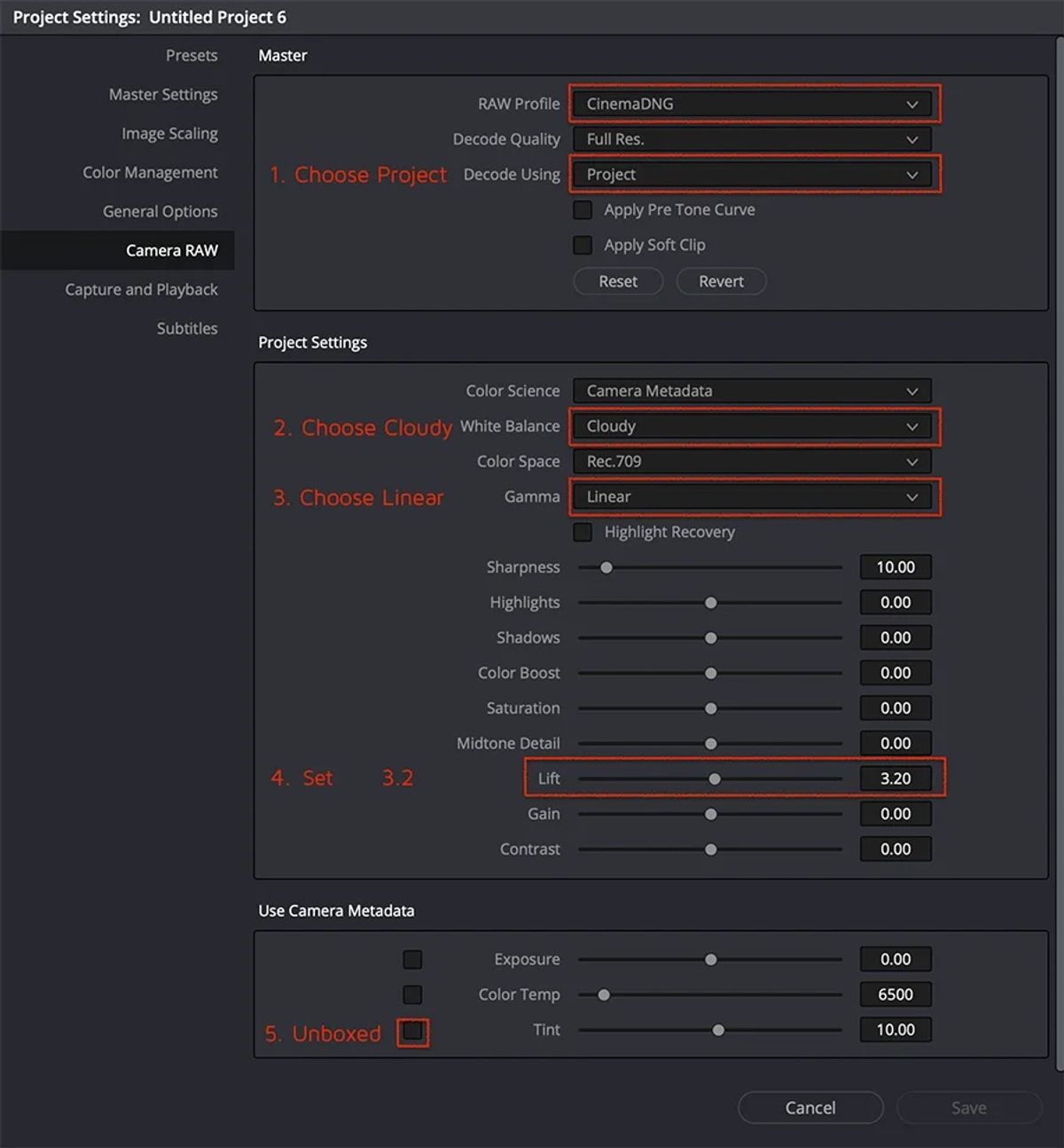
Project Setting | Camera RAW: Launch DaVinci Resolve, create a new project, click in the bottom-right corner of the window: [Project Setting --> Camera RAW];
Set Decode Using: choose [Project] and confirm the RAW profile is [CinemaDNG];
Set RAW Decode Parameters:
White Balance: choose [Cloudy]; Gamma: choose [Linear]; Lift: choose [3.2]; Tint: unboxed, default setting is [10].
After above setting, Kinefinity DNG could be imported in batch to get RAW with native KineLOG3, correct exposure and correct color. Similar to ARRI RAW process, footages are imported to Resolve to get logged clips, very convenient and intuitively. No matter grade clips directly from LOG color space or load 3rd-party LUT, the workflow will be smooth and highly productive.
Above settings as following:
Note: Recommend to employ the official LUTs as the starting point for the grading work: KC 709. If the LUT is selected when shooting, the clips folder will contain the LUT, which is convenient to load it directly in post work.